
Follow these instructions if you are having trouble using OneNote:
- Open OneNote
- Go to the notebook that is having trouble
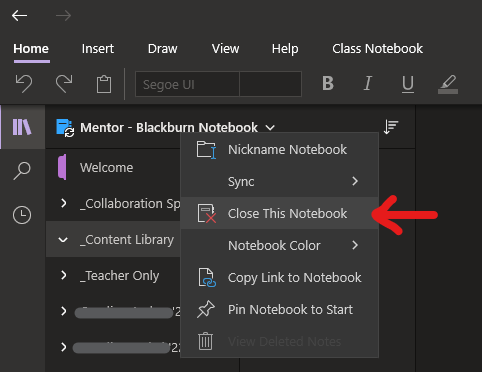
- Right-click on the name of the notebook
- Press Close This Notebook
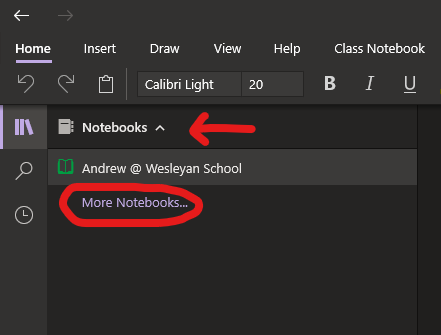
- After the notebook closes, press on the notebooks drop down
- Press More Notebooks...
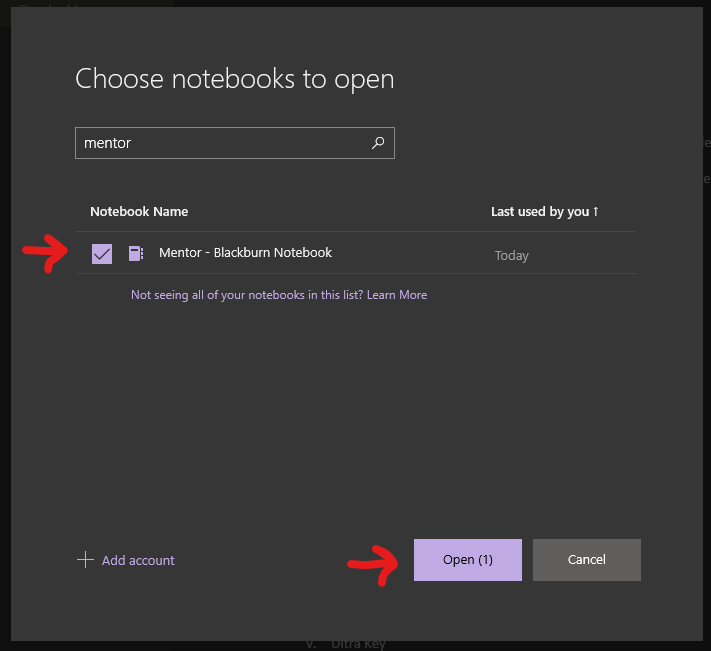
- In the Choose notebooks to open popup, check the notebook you would like to open
- Press Open
- After you press open, the notebook will open and proceed to sync correctly
If you are still having issues after following these steps, please reset your app by doing the following:
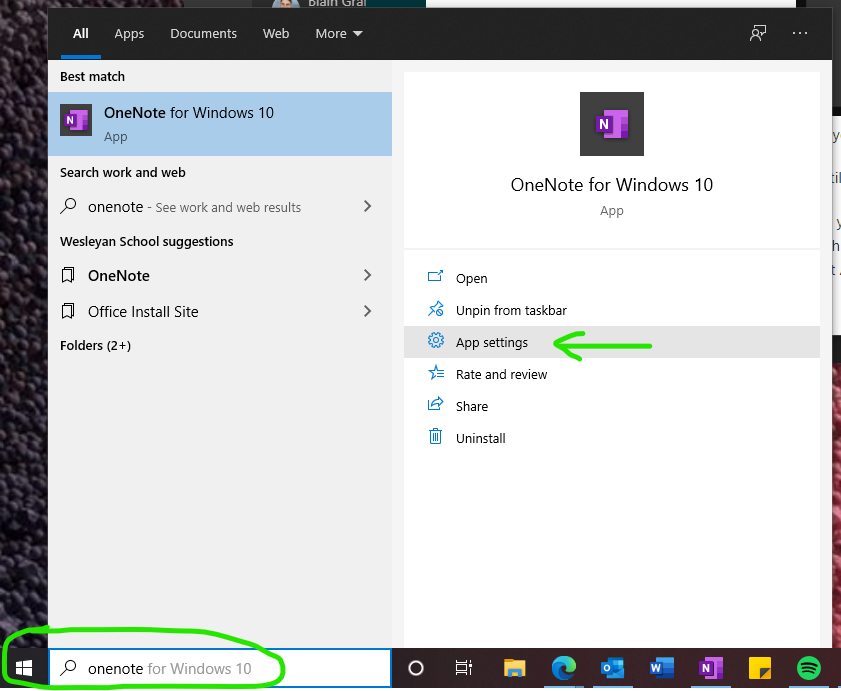
- Open your Start Menu
- Search for OneNote
- Select App Settings
- Once the settings window is open, scroll down and select Reset
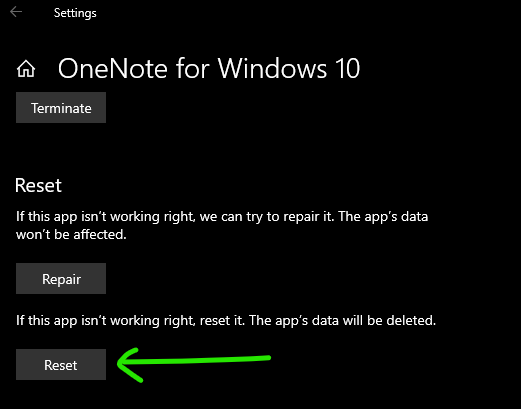
- When finished, re-open OneNote and proceed with opening your notebook following the instructions above.
Comments
0 comments
Article is closed for comments.