
Teachers, only use these instructions after you have followed the instructions located here.
- Open the XtraMath shortcut from the home screen.
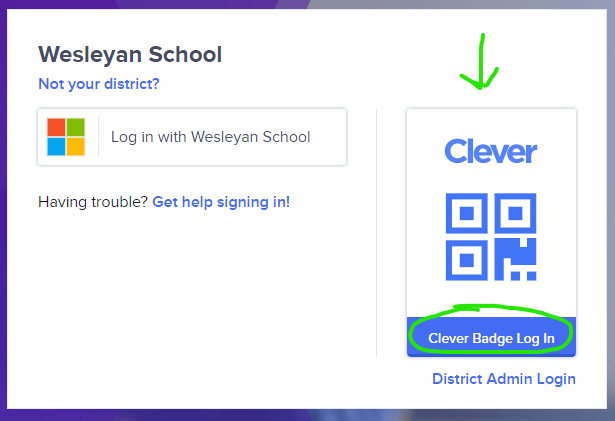
- You will be taken to XtraMath's sign in page. Click on the Clever button.

- Proceed to login.
- f your student has their Clever badge, Press Clever Badge Log In.
- When the camera opens up, hold the badge up to the camera.
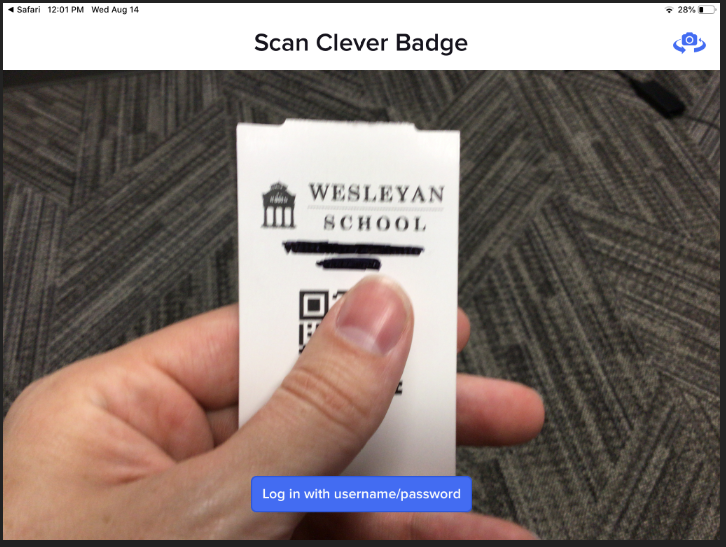
- Once the badge is recognized, a green check mark will appear. ✔
- When the camera opens up, hold the badge up to the camera.
- f your student has their Clever badge, Press Clever Badge Log In.
- Once logged in successfully via Clever, you will be taken back to XtraMath and logged in.
Comments
0 comments
Article is closed for comments.