
Logging into XtraMath for the 2019-2020 school year has changed. Clever is now syncing all of our roster data with XtraMath to make setting up classes a thing of the past. Additionally, it is much easier for students to login.
If you haven't already followed the first time login instructions, please start here and return to this page when completed. Logging into XtraMath as a teacher for the first time
If you have followed the first time instructions, here are the instructions you should use to get logged in to XtraMath moving forward:
- Double-click on the Clever icon on your desktop.

- Alternatively, you can use this direct link to start the login process. If you prefer this method, bookmarking the link may be a good option for you.
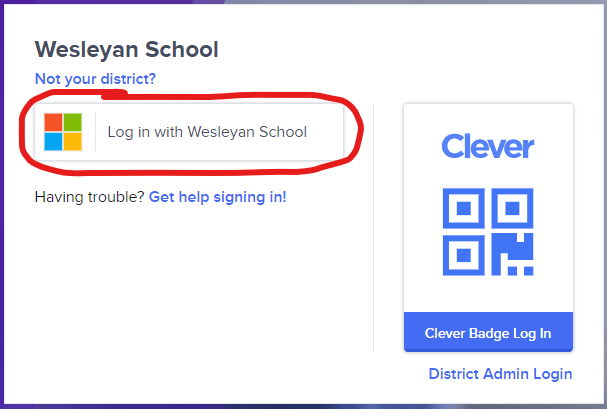
- When prompted, choose Log in with Wesleyan School
- Once in the Clever portal, choose XtraMath.
- After you click on XtraMath, you will be taken to their web page and logged in automatically.
- Have your students login using these instructions.
Comments
0 comments
Article is closed for comments.