
The login process for NoodleTools has changed in the 2019-2020 school year. Follow these instructions to get logged in:
- Double-click on the Clever icon on your desktop.

- Alternatively,
- You can use the NoodleTools link on the Chapman Library web page.
- You can use this direct link to start the login process.
- Alternatively,
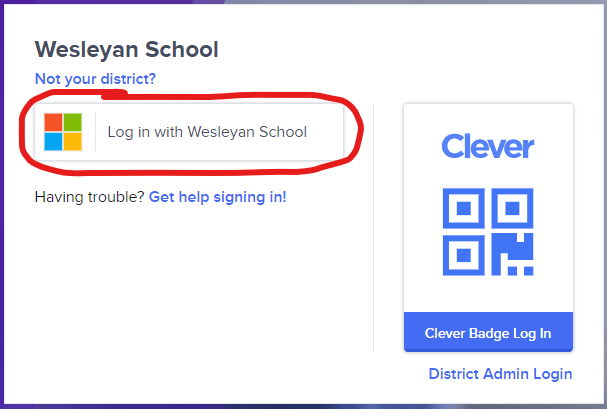
- When prompted, choose Log in with Wesleyan School
- Once in the Clever portal, choose NoodleTools.
- After you click on NoodleTools, you will be taken to their web page.
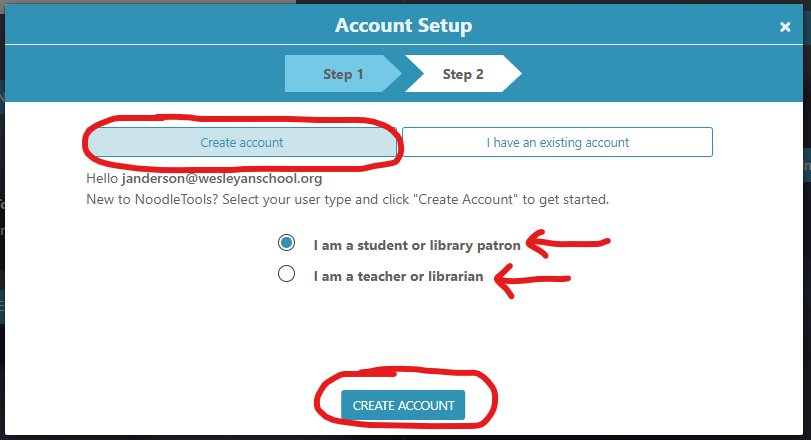
- If you are a new student or staff member, choose your correct role and then press the Create Account button. After that, your NoodleTools account should be logged in and ready to use NoodleTools.
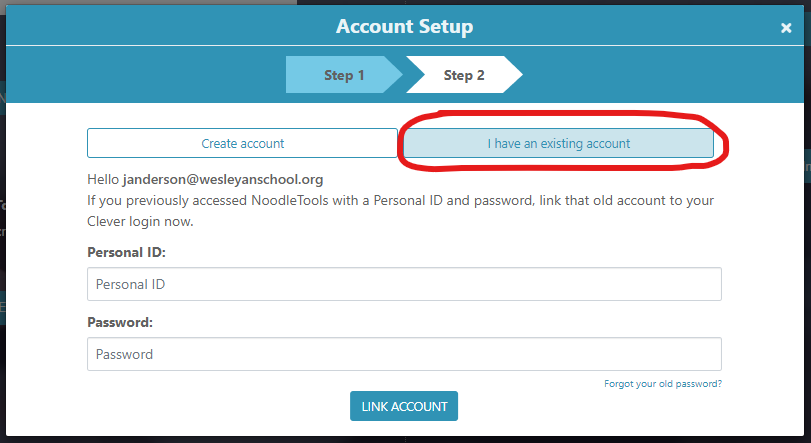
- If you are an existing student or staff member, press the I have an existing account button. Enter your personal ID and password to link your account. If you do not remember your old password, please see Mrs. O'Kelley or Mrs. Duke for help. Once your account is linked, you should be logged and ready to use NoodleTools.
- If you are a new student or staff member, choose your correct role and then press the Create Account button. After that, your NoodleTools account should be logged in and ready to use NoodleTools.
Comments
0 comments
Article is closed for comments.